Showing posts with label prototype. Show all posts

Tuesday, December 17, 2019

Scalar fields for gradients and other graphic patterns

The Mathaesthetics flagship app will support a number of modes of mathematical image creation. I spent most of yesterday working on and improving the scalar field renderer.

In a scalar field, a function f(x, y) produces a value for each point. This scalar value is then mapped to a color gradient. I'm exploring both different modes of color assignment and different function definitions and the results they yield.

Here's a simple example, of the function f(x, y) = x • y. The color scale is white-to-black, and here I'm only allowing 16 different distinct shades:

Here's the same function with the color mapping changed to orange-to-blue:

And again, but with the discrete shading limit removed so we get a smooth gradient:

Producing gradients that aren't simply linear or radial is one potential graphic application of scalar fields with algebraic functions. For example, a logarithmic gradient...

Tuesday, December 10, 2019

Painting with Trigonometry

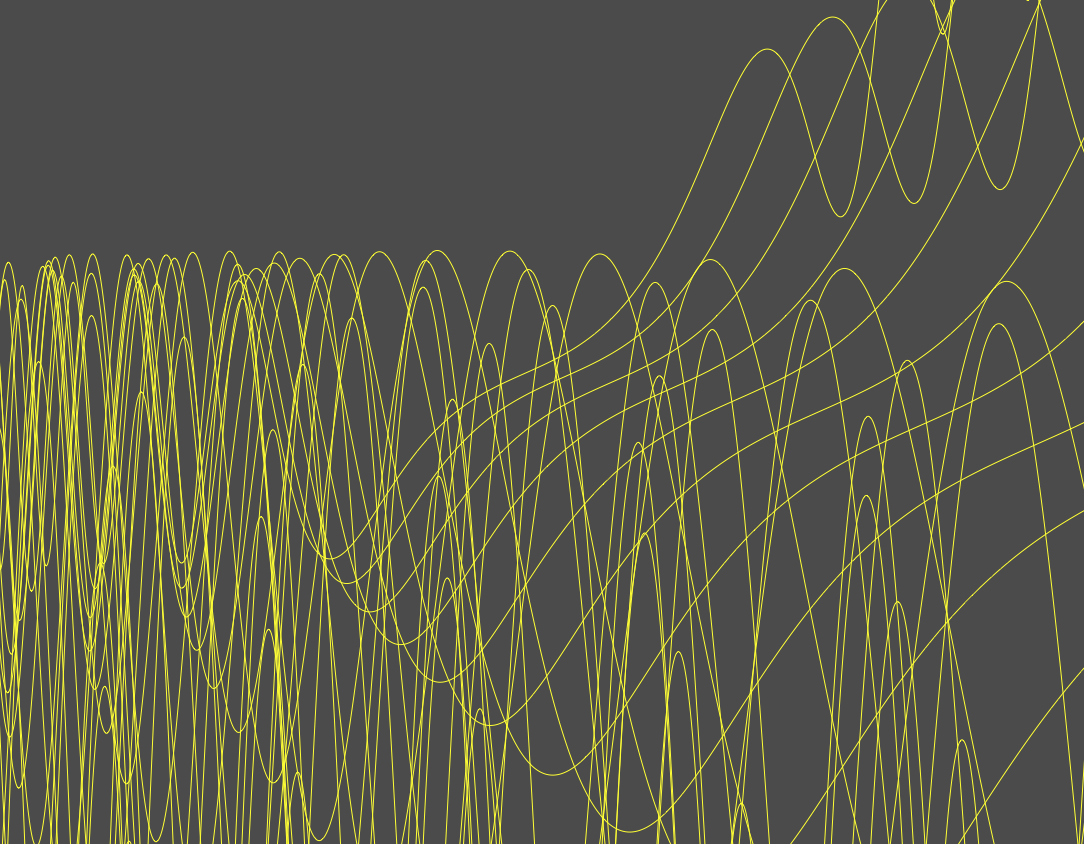
I'm excited to share today's image generated from the application under development:


It's a pretty organic background-pattern sort of texture, but it highlights a few cool things about the app, which is focused on creating beautiful images with mathematical techniques.

Thursday, December 5, 2019

Flavors of static: random distributions and noise

It's day one of noise generation in our flagship product! There are many ways to generate visual noise; our first algorithm is a simple static pixel generator. For these examples I'm generating a random integer from 0 to 255 and using that value to calculate a color on the gradient between two colors (here, blue and orange). Here's the initial output:
It's easiest to compare other output zoomed in a bit - here's a section zoomed at 1200%:
I'm interested in tweaking the actual noise generation, which here means changing the random value generation (not just applying visual adjustments to the output). Filtering the random unit through a log() function creates a curve that produces more values closer to the maximum and few values closer to the minimum - which interpreted as color, means we see more orange:
The complementary approach uses an exponential function to produce a distribution that increases more slowly at first - mapping more values to the lower end of the scale, here meaning more blue:

Tuesday, November 19, 2019

Strawberry vector fields forever

My new vector field renderer prototype is chugging along, and combined with hooking up .png output to the app I was able to make a couple of little animations with it.

The vector function is a combination of trig and exponentiation (mixing up x and y to keep things interesting across the plane). These animated GIFs show a zoom in toward the origin.

I'm especially fond of this chromatic-circle vector field mode - the vector length controls the circle radius, while the angle is interpreted as hue color:


Here's the same function, field, and zoom, using a simple line representation of each vector (drawn from tail at evaluated point):


Can't wait to hook up the controls & file persistence so I can do some deeper exploration of vector fields and their aesthetic possibilities!

Thursday, November 7, 2019

Prototype images - fun with iterator objects

Here are some screen captures (also on our Instagram and Facebook feeds) from the flagship work-in-progress.

Today I was working on the idea of an iterator object which is an abstraction of repeated drawing with some incremental parameter change. The prototype has two iterator objects applied - one applies a gradual zoom to the target layer, while the other gradually shifts the origin (including a slight multiplier that increases with each iteration, so the origin is actually moving in a gentle exponential curve).

 I like the results with each layer, but the really cool thing is that the iterator objects applied in each case are identical - so there's a clean separation of the concept from the underlying rendering mechanism. The first image is a cartesian function plot (it's an f(x) = x^3 + sin(x^3) function, with some coefficients).

The second image is just a set of few shapes (three circles, two ellipses, two line segments). The iterator objects produce the repeated results in each rendering.

Below are few more images of these two renderings from different zoom levels.


Much more to come!